Creator Hub
Back

Meet MAGI-2: Sand AI’s New Video Model With Built-In Sound, Exclusively on Higgsfield

Higgsfield
7 min

MAGI-2 is Sand AI’s new video model, available through the Higgsfield web app and API. It generates video and sound together, guided by image, video, and audio references or a start frame with an optional end frame. Clips run from 4 to 30 seconds at 1080p in six aspect ratios. This guide covers generation settings, reference limits, pricing, and prompting recommendations for both modes.

Key Takeaways

  • MAGI-2 is available through the Higgsfield web app and API. In the web app, it is found under Video → Create Video → Model → MAGI-2.
  • Video and sound are generated together. The Sound toggle turns audio on or off.
  • Two modes guide a video. References accept up to 10 images, 5 videos, and 5 audio files, and Frames take a start frame with an optional end frame.
  • Clips run from 4 to 30 seconds at 1080p in six aspect ratios: 16:9, 21:9, 4:3, 1:1, 3:4, and 9:16. MAGI-2 has no 720p option, so a shorter clip is the way to use fewer credits.
  • Web and API generation have separate pricing. A 10-second clip costs 25 credits in the web app, approximately $1.23 on Plus, or $0.80 through the API.
  • Credit-based generation runs one MAGI-2 job at a time. Higher concurrency is available on Enterprise.

What Is MAGI-2?

MAGI-2 is Sand AI’s video model on Higgsfield. It generates video and sound together, so audio doesn’t need to be added afterward. The Sound toggle controls whether audio is included.

Higgsfield is the generative platform for creative production, with 35+ models and tools. MAGI-2 is available under Video → Create Video → Model → MAGI-2.

What Can MAGI-2 Do?

What Can MAGI-2 Do?

Feature

What it does

References

Up to 10 images, 5 videos, and 5 audio files in one generation

Frames

A start frame with an optional end frame

Length

From 4 to 30 seconds

Resolution

1080p

Aspect ratio

16:9, 21:9, 4:3, 1:1, 3:4, or 9:16

Sound

Generated together with the video when Sound is enabled

When Does MAGI-2 Fit the Job?

MAGI-2 fits four jobs, and each job has a mode:

• Generating a short scene with sound: keep Sound on.

• Animating an existing image: use Frames with a Start frame.

• Creating a transition between two frames: use Frames with a Start frame and an End frame.

• Guiding a video with references for a character, location, voice, or music: use References.

MAGI-2’s six aspect ratios include vertical 9:16 and widescreen 21:9.

Step-by-Step: Create a First Video With MAGI-2

Step 1: Open the model. Go to Video → Create Video, open the model list, and select MAGI-2.

Step 2: Select a mode. References guides the video with source images, videos, and audio. Frames defines the image the video starts from and, optionally, the image it ends on.

Step 3: Upload the source material. In References, add up to 10 images, 5 videos, and 5 audio files. In Frames, upload a Start frame and add an End frame if needed. Upload only images, videos, voices, and music that you own or have permission to use.

Step 4: Write the prompt. In Frames, describe the scene already shown in the start image and the intended movement. If an end frame is included, describe what happens between the two frames. In References, describe the character or location shown in the reference images and the intended action. In the prompt, refer to each input by its label, such as Image 1, Video 1, or Audio 1.

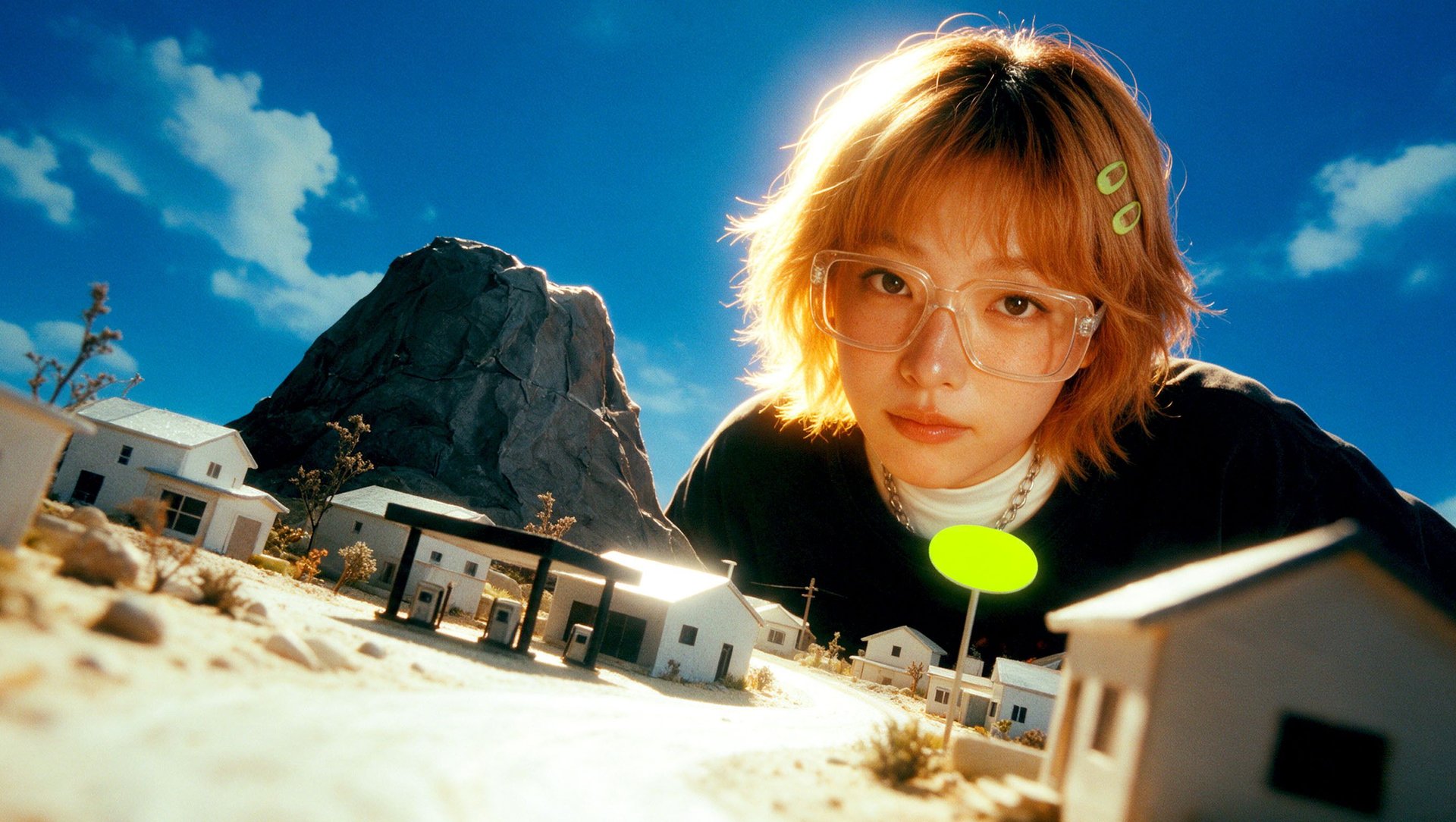
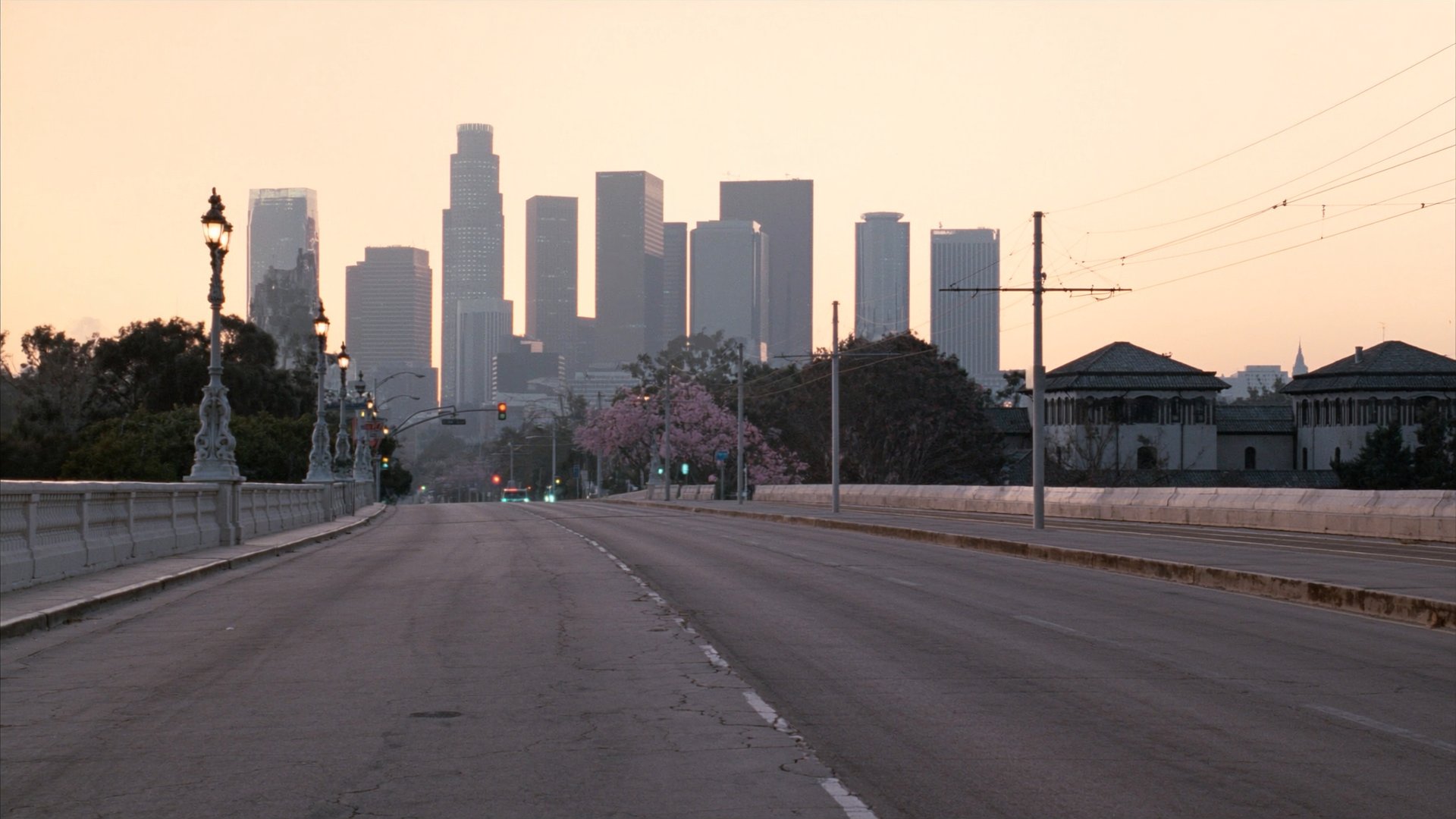
SCENE CONTEXT Early morning on an empty city street at dawn. A young woman drops her skateboard, rides down the long empty road toward the skyline, pops an ollie against the rising sun and rolls on toward the waking city. Energetic, playful skate-film editing, no other people. ACTIVE REFERENCES @Image 1: young woman, about 20, slim, soft features, light freckles. Choppy layered copper-orange bob with darker roots, two light-blue hair clips on her left side, pink translucent rectangular glasses, silver chain necklace with small charms. Oversized royal-blue T-shirt with a white checkerboard band across the chest, worn over a white long-sleeve top, black leather belt, leopard-print cargo shorts, pink socks with flowers, black loafers. Her face and outfit 100% match @Image 1 in every shot. Skateboard: plain light natural-wood deck with no graphics, light wheels. @Image 2: location reference. @Image 2 controls the geography: the long empty road with worn cracked asphalt and a dashed white line, the ornate pale stone balustrade with vintage lamp posts on the left, the trolley poles, overhead wires and the low tiled-roof building on the right, and the skyline of high-rise towers at the end of the road. No cars, no people. No readable text or logos anywhere. FORMAT MODE Controlled multi-shot sequence, six shots, HARD CUTs at 2.0s, 3.5s, 6.5s, 9.5s and 12.0s. Real-time motion, energetic rhythm. Outfit, hair, glasses, board and golden light stay identical in every shot. LIGHT LOGIC A low sun rises between the towers at the end of the road. When the camera faces her front, her face is lit by warm golden sun. When the camera faces the city, she is backlit with a glowing rim and the sun flares between the towers. SHOT 1 — 0.0s to 2.0s — FACE LENS LOCK = 29° short telephoto portrait, camera 2 meters in front of her, at eye level. Close-up of her face, front view. Warm low sun lights her face; behind her the road and lamp posts melt into soft golden bokeh. She pushes her pink glasses up her nose with one finger, looks past the camera toward the city, and a small confident half-smile appears. The blue hair clips catch the light; loose strands move in the breeze. SHOT 2 — 2.0s to 3.5s — BOARD DROP LENS LOCK = 84° wide, camera on the asphalt, 30 cm from the board. Ground-level close shot: the skateboard slaps flat onto the cracked asphalt, a black loafer with a pink flower sock steps onto it, the other foot gives one hard push, and the board shoots out of frame toward the city. SHOT 3 — 3.5s to 6.5s — RIDE LENS LOCK = 84° wide, camera low on a moving vehicle, 3 meters behind her, facing the city. She rides away from camera toward the skyline, pushing twice, then carving smooth S-turns along the dashed white line. The sun glows between the towers ahead; her backlit hair and T-shirt flutter in the wind. The camera chases her with speed and slight bumps from the road. SHOT 4 — 6.5s to 9.5s — FACE IN MOTION LENS LOCK = 47° standard, camera on a moving vehicle riding alongside on her left, 1.5 meters away, slightly ahead and angled back at her. Medium close-up of her in three-quarter front view while she rides: hair whipping back, T-shirt billowing, glasses catching a sun glint. She glances at the camera and breaks into a real, easy laugh, then looks ahead again. The stone balustrade and lamp posts streak past behind her in motion blur. SHOT 5 — 9.5s to 12.0s — OLLIE LENS LOCK = 84° wide, camera very low behind her left shoulder, moving with her, facing the city. She crouches, then pops an ollie over a crack in the asphalt: the tail snaps sharply on the road, the board rises to her feet, and at the top of the jump she hangs for a split second in the air, a crisp silhouette against the sun between the towers, with a lens flare. SHOT 6 — 12.0s to 15.0s — PASS AND GO LENS LOCK = 47° standard, camera standing low on the road ahead of her, facing her. 12.0s to 13.0s: she lands with a solid thud, knees absorbing the impact, and rolls straight toward the camera, grinning, golden sun on her face. 13.0s to 13.8s: she rolls past the camera very close, her laughing face and the wind of her passing filling the frame for a moment. 13.8s to 15.0s: the camera stays in place and swings around to follow her; she rolls away down the empty road toward the skyline and the rising sun, growing smaller. PHYSICS Real skateboard physics: the deck flexes under her weight, wheels vibrate over rough asphalt, carves come from shifting weight, the ollie has a sharp pop, a real arc and a weighted landing. Hair and clothes react to speed and wind with natural delay. AUDIO Only live sound, cut to the picture: quiet morning and distant birds, the slap of the board on asphalt, the push, wheels rolling louder and louder over rough asphalt, wind rushing past, a far-off tram bell, a short laugh, the sharp clack of the ollie pop, the thud of the landing, the whoosh as she passes the camera, then the wheels fading into the low hum of the waking city. No music. STYLE 35mm film, warm golden-hour cinema, fine film grain, soft halation around the sun and the glowing lamps, natural colour, energetic indie skate-film mood.

Step 5: Set the duration, the aspect ratio, and the sound. Open Duration and move the slider to a length from 4 to 30 seconds. Open Aspect Ratio and choose one of the six ratios. The Sound toggle is the speaker button at the bottom of the prompt box. It shows On or Off.

Step 6: Check the cost and generate. The price shows on the Generate button before the generation starts. Click it to generate the video.

Prompting Recommendations

Prompting Recommendations

Issue

Recommended adjustment

In Frames, the Start frame changes more than expected

Describe the scene already shown in the image and the intended movement. A prompt describing a different scene may substantially alter the image.

In Frames, the transition between the Start frame and the End frame looks abrupt

Use frames with a similar setting, lighting, and character. Describe the action connecting them.

In References, the character or location differs from the reference images

Add clear reference images of the character and location, and describe them in the prompt.

A MAGI-2 clip contains too many competing actions

Limit the prompt to one or two actions and one camera movement per clip.

MAGI-2 Pricing

The estimates below use the Plus plan priced at $59 per month for 1,200 credits, equivalent to approximately $0.049 per credit.

MAGI-2 Pricing

Video length

Web app credits

Estimated web app cost

API cost

10 seconds

25

$1.23

$0.80

15 seconds

37.5

$1.84

$1.20

30 seconds

75

$3.69

$2.40

Estimated costs are rounded to the nearest cent and depend on the plan’s price per credit. The Generate button shows the credit cost before generation.

Meet MAGI-2: Sand AI’s New Video Model With Built-In Sound, Exclusively on Higgsfield

Try MAGI-2

Got any questions left?

by Higgsfield