Free AI Video Editor: Change the Scene. Keep Your Vision.
Edit videos with text prompts. Remove objects, change backgrounds, and restyle footage with AI, then refine your results using Higgsfield's video enhancement tools.
Partnering with global industry leaders to power your creativity output
Created by community
PRO
Photorealistic product commercial of a pink STIX box of biscuit sticks half-coated in glossy strawberry frosting on an urban walkway lined with blooming cherry blossom trees; a stick rises and snaps in crisp slow motion as pink petals drift through frame.
PRO
Photorealistic product commercial of a pink STIX box of biscuit sticks half-coated in glossy strawberry frosting on an urban walkway lined with blooming cherry blossom trees; a stick rises and snaps in crisp slow motion as pink petals drift through frame.
PRO
Photorealistic cinematic medium shot of a fit man in a blue tank top crouched in a sprinter's start on a clean urban street; on a sharp click he explodes into a full-speed sprint as subject and background dissolve into heavy motion blur.
PRO
Photorealistic cinematic medium shot of a fit man in a blue tank top crouched in a sprinter's start on a clean urban street; on a sharp click he explodes into a full-speed sprint as subject and background dissolve into heavy motion blur.
PRO
An Asian woman with orange-and-pink split-dyed hair cooks in a high-end modern marble kitchen; close-ups of a ripe tomato, chopped herbs, and rigatoni tossing in a black skillet, ending on a top-down bird's-eye view.
PRO
An Asian woman with orange-and-pink split-dyed hair cooks in a high-end modern marble kitchen; close-ups of a ripe tomato, chopped herbs, and rigatoni tossing in a black skillet, ending on a top-down bird's-eye view.
PRO
A young woman with green-blonde hair arranges flowers in a bright minimalist studio; macro shots of a water droplet on a pink peony, stems trimmed, vibrant blooms placed into a light-grey vase.
PRO
A young woman with green-blonde hair arranges flowers in a bright minimalist studio; macro shots of a water droplet on a pink peony, stems trimmed, vibrant blooms placed into a light-grey vase.
See What You Can Change with AI Video Editing
Give existing footage a different setting, subject, or visual style. Explore the examples below to see how text prompts and visual references guide an edit, then use Higgsfield’s enhancement tools to refine resolution and motion.
Edit Your Video Using Text
Describe what you want to change, from a background replacement to a different visual style. With models like Kling 3.0 Omni Edit, you can guide changes to existing footage through text prompts. Review the result and refine your instructions to explore another version.
Edit Your Video Using Text
Edit Your Video Using Text after
Edit Your Video Using Text
Describe what you want to change, from a background replacement to a different visual style. With models like Kling 3.0 Omni Edit, you can guide changes to existing footage through text prompts. Review the result and refine your instructions to explore another version.
Edit Your Video Using Text
Edit Your Video Using Text after
Remove and Replace Elements
Use the AI video editor to remove a distracting object or replace a product, outfit, or character in your footage. Use a text instruction or reference images to guide the replacement in Higgsfield Genjutsu’s Object Swap mode. Turn an existing shot into a new campaign variation with your own products and visual assets.
Remove and Replace Any Element
Remove and Replace Elements after
Enhance Detail and Smooth Motion
Take your edited clip into Higgsfield Upscale for output up to 4K. Use AI frame interpolation through FPS Boost or supported Topaz workflows for smoother playback at up to 120 fps, and apply Video Deflicker to reduce flicker. Choose available presets suited to AI-generated clips, UGC, or old film.
Enhance and Restore Every Detail
Enhance Detail and Smooth Motion after
Transfer Motion to a New Character
Use a recorded performance as the starting point for a different scene. Higgsfield Genjutsu’s Motion Transfer mode uses your source video to guide movement, timing, and camera work while rebuilding the scene around your reference images. Try a new character, outfit, or location using the same performance.
Use a recorded performance as the starting point for a different scene. Higgsfield Genjutsu’s Motion Transfer mode uses your source video to guide movement, timing, and camera work while rebuilding the scene around your reference images. Try a new character, outfit, or location using the same performance.
Edit video with AI to remove distractions, change backgrounds, and restyle your footage. Explore tools for upscaling, smoother motion, shot extension, and reframing to prepare your clips for different projects and formats.
AI Object Removal
Remove an unwanted object from your clip with a prompt, or swap it for something new. No manual masking.
AI Auto Reframe
Reframe a finished video to a new aspect ratio. 16:9, 9:16, 1:1, and more. One clip, ready for every platform.
AI Video Deflicker
Remove flicker from your footage with Video Deflicker. Steadier light and exposure from frame to frame.
AI Video Upscaler
Upscale to 1080p, 2K, or 4K at 24 to 120 fps. Presets for AI video, UGC, and old film. Softness sharpened.
AI Frame Interpolation
Generate in-between frames with FPS Boost or Topaz. Choppy footage smoothed. Higher frame rates, no reshoot.
AI Style Transfer
Restyle footage with a prompt. Film, anime, or painted looks. Same motion, new style.
AI Video Extender
Extend a shot forward or backward with Cinema Studio 4.0. More runway for every cut.
AI Background Swap
Swap or remove the background with a prompt. New location, same take. No green screen.
AI Dubbing
Translate speech into 18 languages with a synthesized voice and lip sync. One video, ready for new markets.
AI 4K Edit Mode
Run Kling 3.0 Omni Edit in 4K mode for prompt edits at full detail. Std and pro modes for faster drafts.
AI Video Background Remover
Remove the background from a video with Video Background Remover. Clean cutout, ready to place on a new scene.
AI Lipsync
Sync a face to new audio in Lipsync Studio. Natural mouth movement. No reshoot.
How to Edit a Video with AI
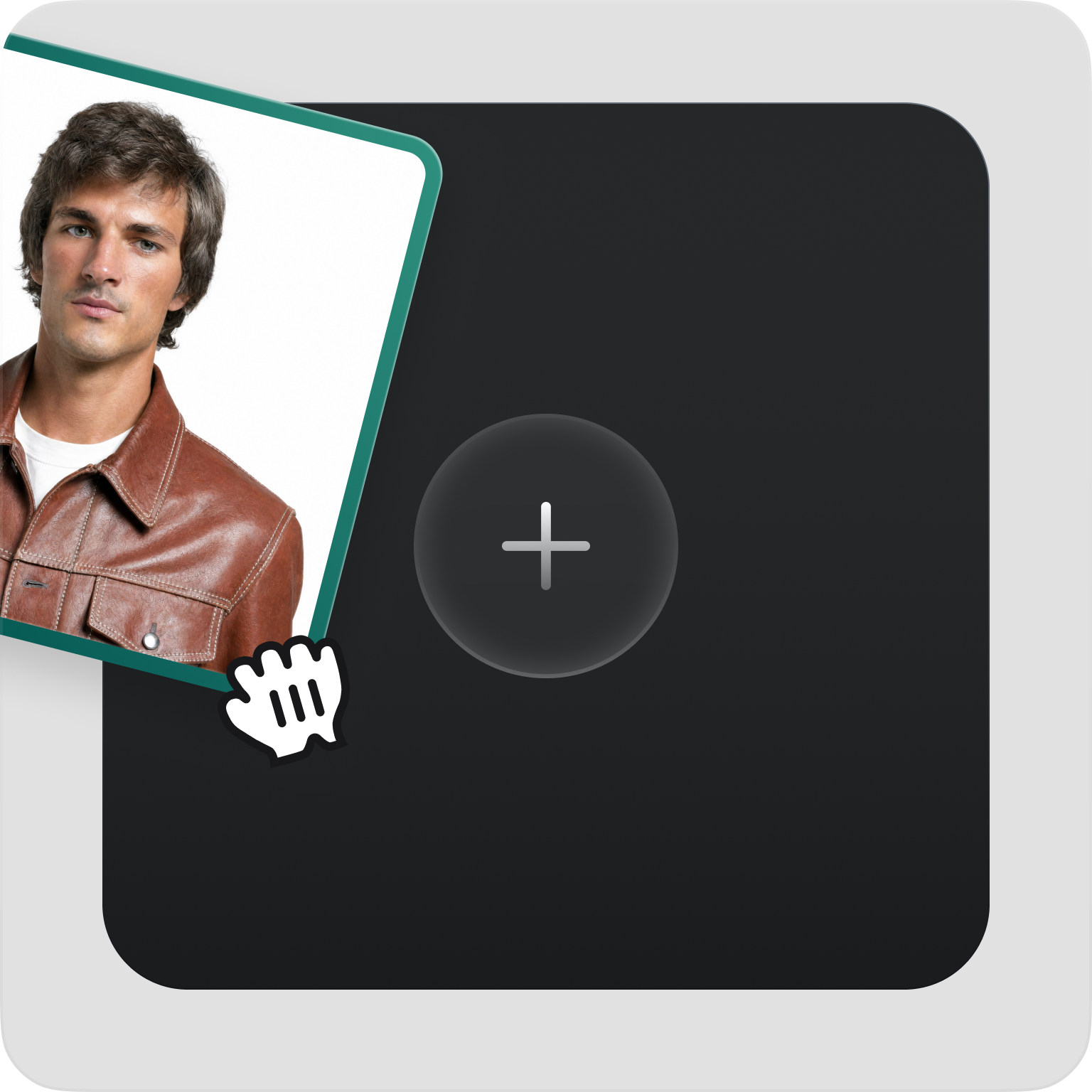
Step 1: Upload Your Footage in Higgsfield
1. Upload Your Video
Upload your own footage or choose a video you've already generated on Higgsfield.
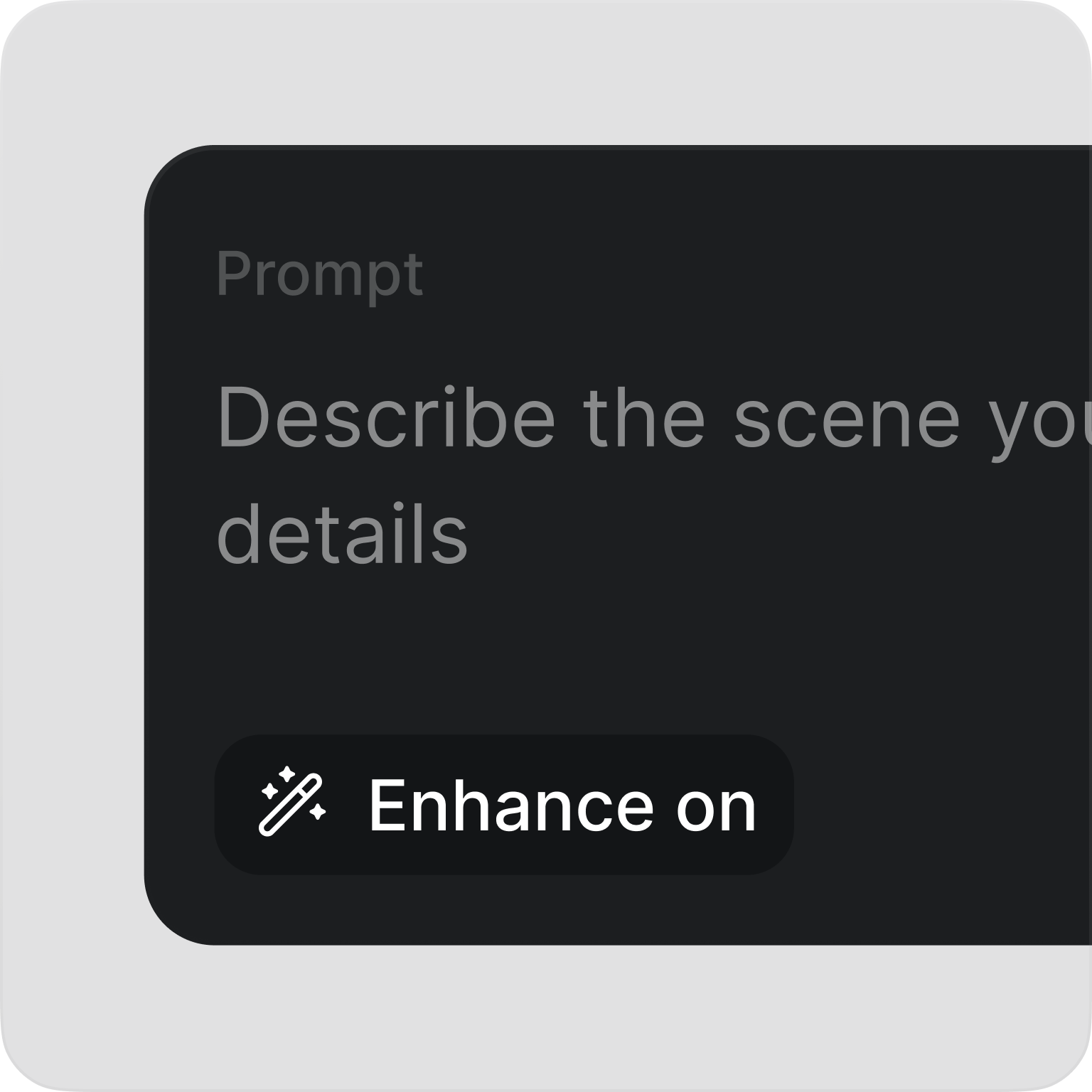
Step 2: Edit by Text in Higgsfield
2. Choose a Tool and Describe Your Edit
Select a compatible editing model, then describe what you want to remove, replace, or change. Add reference images where supported.
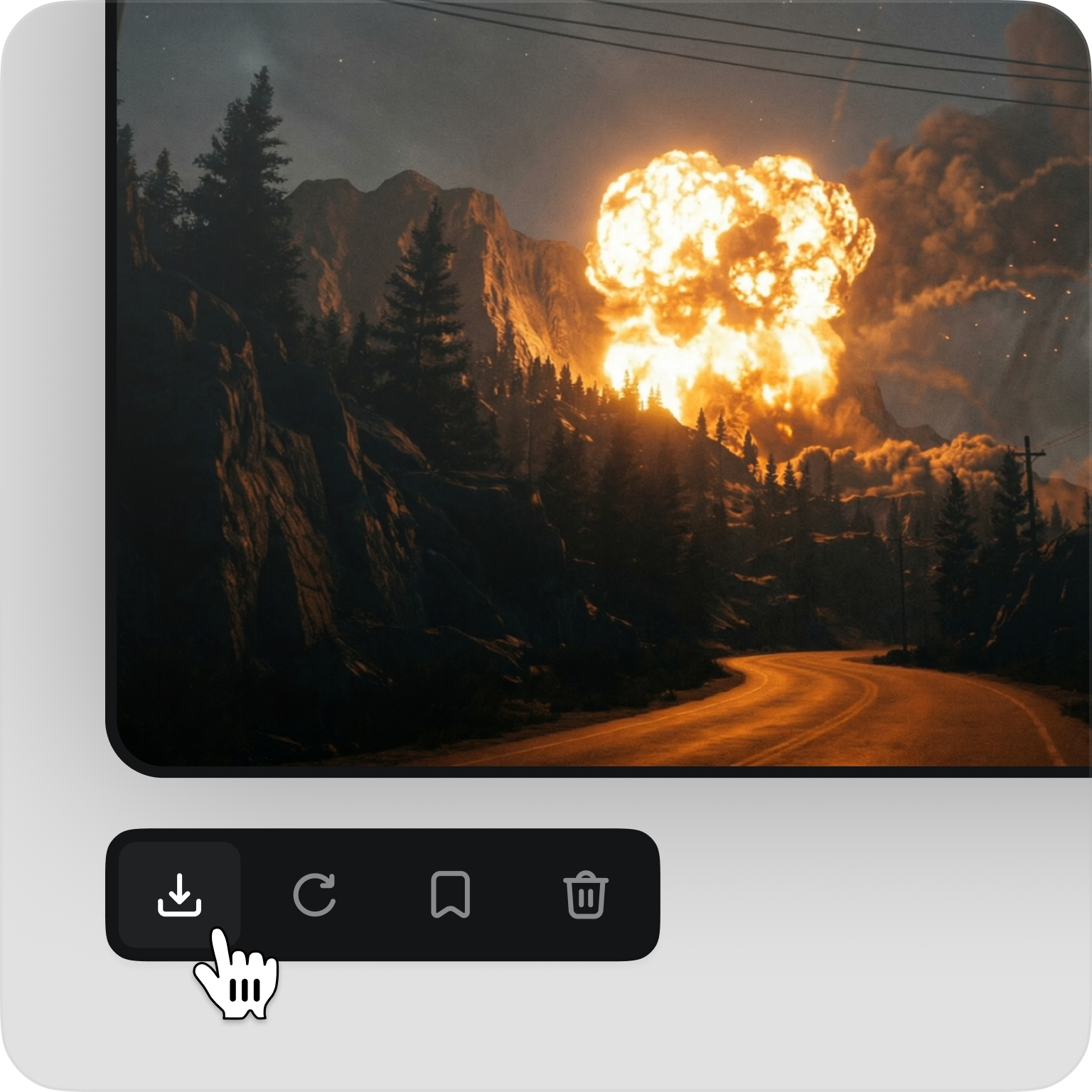
Generated result with the Download button highlighted, next to Regenerate, Save and Delete
3. Generate, Review, and Download
Check the credit cost, generate your edit, and review the result. Download the result, or use separate tools to upscale or reframe it if needed.
A background swap, a new character performance, or a reference image for your next shot starts with the right model. Higgsfield brings AI video editing and supporting creative models together, with different inputs and controls for each task. Switch between models per edit, all under one subscription, with new releases added as they launch.
kling logo
Kling 4.0
Use Kling 4.0 to apply prompt-based changes to existing videos, including characters, products, backgrounds, and style.
AI Video Editing for Marketing, Film, and Business
See how creators and teams can use Higgsfield to adapt existing footage for different audiences, formats, and projects. From product campaign variations to cinematic filmmaking, prompt editing models can help you turn raw footage into a polished, publish-ready video without timelines or editing skills.
Edit Videos for Marketing and Sales
Edit Videos for Marketing and Sales
Edit Videos for Marketing and Sales
Create video ad variations for different products, audiences, and platforms. Swap backgrounds, replace objects, and reframe footage to explore new campaign concepts from existing clips. Try a seasonal setting or introduce a different product using reference images, then review each variation against your campaign brief.
Edit Videos for Social and Content
Edit Videos for Social and Content
Edit Videos for Social and Content
Repurpose scroll-stopping content for creators, influencers, podcasters, and social teams. Restyle, clean up, or swap the background of your clips with a prompt and reframe them for each platform, then turn the highlight of a YouTube video into a social clip with Personal Clipper in Supercomputer.
Edit Videos for Film and Story
Edit Videos for Film and Story
Edit Videos for Film and Story
Restyle footage, change objects and backgrounds, extend scenes, and enhance visual quality using Higgsfield's editing and video tools. Explore different looks for a shot before choosing a direction, or refine individual clips for a larger sequence.
Edit Videos for Business and Training
Edit Videos for Business and Training
Edit Videos for Business and Training
Refine explainers, product walkthroughs, onboarding materials, and training videos with prompt edits, background changes, and upscaling. For localization, use Translate in Higgsfield Audio, which supports 18 languages.
Trusted by 40M+ users worldwide
Join a global creative network where people generate AI images & videos, share insights, and inspire each other every day.
A
Alexandre
I've been using Higgsfield for my creative work for a while now and, honestly, it's one of the best platforms out there - the tools are powerful and the results speak for themselves. But what made me write this was the support. I had a question about my credits, and Tim handled everything with a transparency and care you rarely see.
S
Spock
Im a new customer of Higgsfield and enjoying it! I'm making some cool videos. I look forward to the advances on the platform! Oh, the support service is excellent!
R
Rha
Higgsfield A.I. has been the best and most exciting tool I've used since I first started editing back in 2008! I still can't believe we live in a time where we can type a sentence; prompt, on one end and get a blockbuster video that comes out on the other end! The site can feel overwhelming at times, but in a good way.
AS
Akun Suliman
I am an Indonesian content creator based on my experience, I feel helped by the presence of this AI Agent higgsfield I say honestly and swear also thank you.. Because AI Agent Higgsfield has helped a lot, especially for creators in the form of our full support to create. In addition to this support, there are many other supports that are very helpful, especially the Higgsfield team
SJ
Shatanu Jachak
What Higgsfield is doing really well is making high-quality AI creation feel smooth, fast, and inspiring. I also appreciate how the company supports its creative community and gives artists the freedom to experiment, grow, and push visual storytelling to the next level.
FM
Freissy Mediaart
The user interface (UI) is highly intuitive and beginner-friendly. Additionally, the cloud rendering speed for generating both images and videos is exceptionally fast, and the AI tools menu is very well-organized. I have completed numerous projects using Higgsfield, and every single one of them turned out perfectly.
LE
Ls estúdios
For a long time, I have seen it as a useful and well-optimized tool, designed to help creators in the best possible way. I like that it constantly introduces updates and interesting features that improve the experience. That is why it has always been a platform that has caught my attention and that I have enjoyed using compared to others.
RR
Rian Rizky Ananta
Honestly one of the best AI creative platforms out there. The credit pricing is surprisingly affordable compared to similar platforms, and what impresses me most is how consistently they keep shipping new features. You can tell the team actually listens and keeps pushing the product forward.
DD
Deyo D
The Most Powerful AI Creative Platform for Creators. What impressed me the most is the level of support around the creator program. The team is helpful, professional, and always there when you need assistance or have questions. It really feels like they care about creators and want to help them grow.
Frequently Asked Questions
We’ve answered the most frequently asked questions
What is an AI Video Editor?
An AI video editor uses artificial intelligence to modify existing footage through text prompts and other inputs. Higgsfield offers tools for changing objects, backgrounds, and visual style, with separate options for upscaling and reframing.
What is the best AI Video Editor?
The best AI video editor depends on your footage and the changes you need. Higgsfield combines editing options such as Kling 4.0 and Kling 3.0 Omni Edit with tools for upscaling, reframing, and video translation. Available features depend on the model and plan you select.
How does an AI Video Editor work?
An AI video editor analyzes your footage and uses your instructions to generate an edited version. Depending on the model, you can remove or replace objects, change backgrounds, or restyle a scene. Reference images can help guide supported edits.
How do I edit a video with Higgsfield?
Upload your footage, choose a model, then type what you want changed, whether to remove, replace, restyle, or swap the background. Add references where supported, check the required credits, and generate. Review the result before downloading or applying further enhancements.
Can I use Higgsfield’s AI video editor for free?
New accounts receive 10 free credits. The credit cost of an edit depends on the selected model and is shown before you generate.
How do I write a good editing prompt?
Keep prompts specific and clear, describing what to change and how, for example: Remove the person in the background and give the shot a warmer look.
Will my edited video look natural?
Results depend on the source footage, selected model, and requested change. Clear footage and focused instructions can help. Review faces, objects, lighting, and motion, then adjust your prompt or references if needed.
Does it work on my own videos or only on generated ones?
Higgsfield supports editing both uploaded footage and AI-generated clips. Choose a compatible editing model or tool and check its input requirements. Upscaling, reframing, and other enhancements are available as separate steps.
Which model should I use?
Use Kling 4.0 for prompt-based changes to existing footage, with optional visual references. Kling 3.0 Omni Edit is another option for editing uploaded clips. For reference-based character or object replacement and motion transfer, consider Higgsfield Genjutsu. You can also choose Seedance 2.5 Edit for localized changes.
Can I edit business and training videos?
Yes. You can update backgrounds, remove distractions, and enhance clips used in explainers, product demos, onboarding, and training materials. For localization, Translate in Higgsfield Audio supports 18 languages. Review edited visuals and translated speech before publishing.
Do I need to download software?
No. Higgsfield runs in your browser. You can access its web-based video editing tools without installing desktop software.
Get the insights you need. Our experts share actionable hacks, break down the hottest topics, and provide essential how-to guides to help you build, optimize, and scale.