Creator Hub
Back

How to Make Ecommerce Video Ads with AI (Full Guide)

Higgsfield
12 min

To make an ecommerce video ad with AI, start from a real product photo, pick one platform, write a hook and an offer, and generate a vertical clip with the product as a reference. Add the price and call to action in an editor, export test versions, and check the product, the AI disclosure and the price before you post.

Key Takeaways

  • Meta recommends 9:16 video at 1440 × 2560 for Instagram Reels ads and suggests keeping the top 14%, the bottom 35% and 6% on each side free of text and logos.
  • TikTok rejects or restricts ads with undisclosed AI-generated content; the AIGC label or your own on-screen disclaimer covers the requirement.
  • TikTok Shop treats AI that changes a product’s size, color, shape or features as misleading and lists “product not as described” among the violations.
  • In our test with Seedance 2.5 on Higgsfield, the PUFF ROLL label broke in both walking-selfie takes and stayed upright in all four static-camera takes.

What Do You Need Before You Make an Ecommerce Video Ad?

Before you open Marketing Studio or Seedance 2.5 on Higgsfield, you need three inputs: a clear product photo, a product page with the current price, and one platform, such as Instagram Reels, TikTok or TikTok Shop. The hook, the offer and the 9:16 test versions are all built from these three inputs.

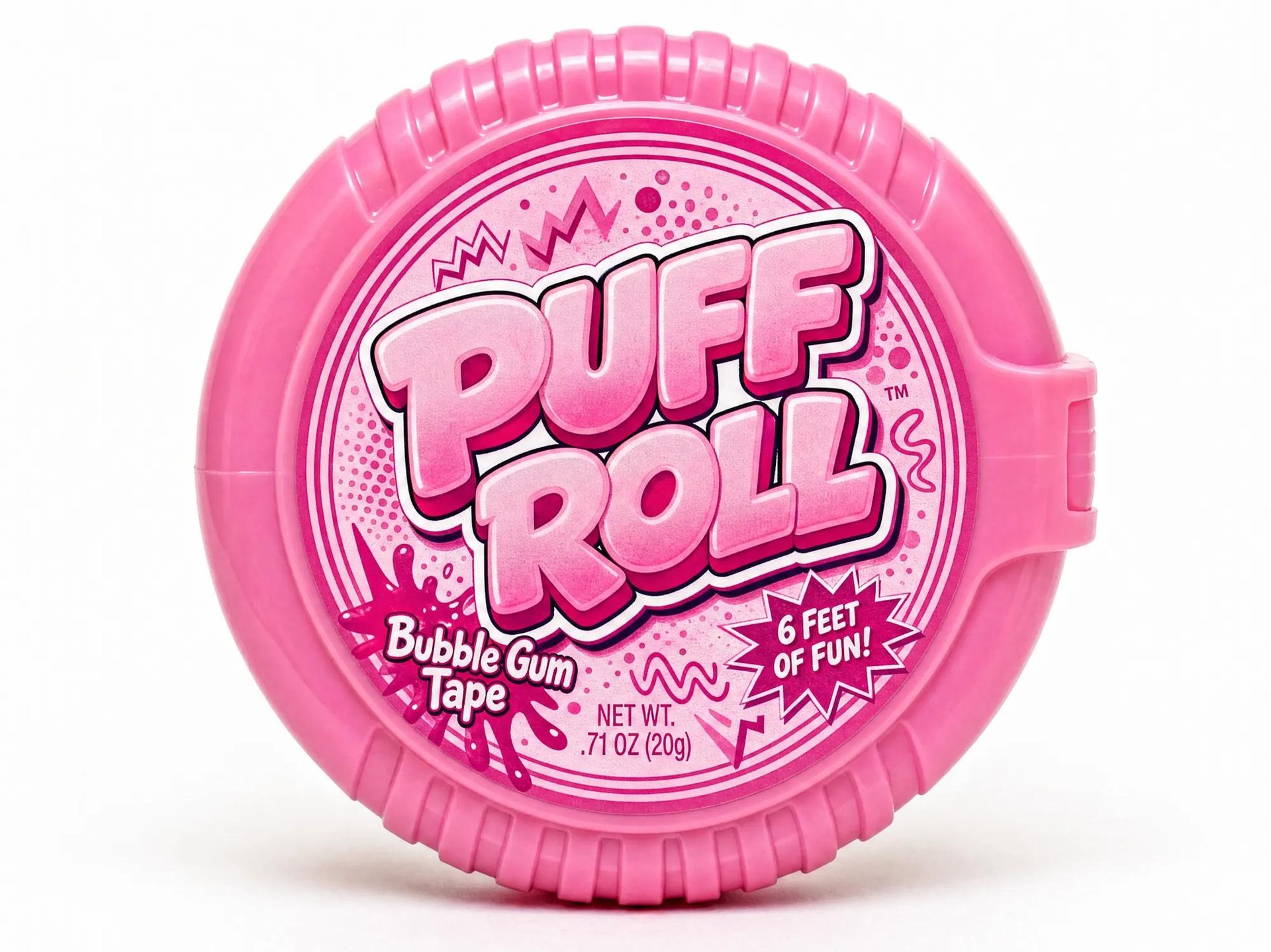
  • A product photo. Shoot the product from the front, with every word on the label sharp, like the PUFF ROLL product photo we used as a reference. If you only have a product page link, Marketing Studio’s Product Link tool builds a video ad from it.
  • A live product page. The price and any discount in the ad must match this page; TikTok does not allow ads where they differ.
  • One platform to start. Meta, TikTok and TikTok Shop share the 9:16 format but have different rules for text placement and AI disclosure.

This guide follows one product from start to finish: PUFF ROLL, a fictional bubble gum tape in a round pink case with a printed label. We built the video steps on Higgsfield, a generative platform for creative production, with 35+ frontier models for generating images and turning them into video scenes.

Step 1: Pick One Product and One Platform

Meta and TikTok both use 9:16 for vertical feed ads, but they set different safe zones, file limits and AI disclosure rules. What to do: choose one product and one placement, and write down that placement’s format and safe zone before you generate anything. Result: a clip you will not need to crop or redo at export.

Pick the product with the clearest packaging and a single price. For PUFF ROLL, that is the round case with the “PUFF ROLL” logo, “Bubble Gum Tape” and a “6 FEET OF FUN!” starburst.

Step 1: Pick One Product and One Platform

Requirement

Instagram Reels ads (Meta)

TikTok In-Feed ads (non-Spark)

Aspect ratio

9:16

9:16 recommended (16:9 and 1:1 also accepted)

Resolution

1440 × 2560 recommended

540 × 960 or higher

Length

Up to 15 minutes

Up to 10 minutes

File

MP4 or MOV, up to 4 GB

MP4, MOV, MPEG, 3GP or AVI, up to 500 MB

Safe zone

Keep the top 14%, bottom 35% and 6% on each side free of text and logos

Depends on caption length and format; TikTok provides downloadable safe zone templates

Source

Meta Ads Guide

TikTok Business Help Center

Specs checked on November 10, 2026. Platform requirements may change.

The AI disclosure rules, as of November 2026, matter as much as the format:

  • TikTok ads: fully AI-generated video counts as significantly AI-edited content. Apply the AIGC label or add your own disclaimer, caption, watermark or sticker; undisclosed AI content gets the ad rejected or restricted.
  • TikTok Shop: creators must disclose content that is fully or significantly AI-generated, with the “AI-generated content” toggle or on-screen text. TikTok Shop says content is not demoted just because the toggle is on.
  • Meta: Meta applies an “AI info” label when it detects that an ad was created or edited with third-party generative AI tools. The label is in the three-dot menu under About this ad.

Step 2: Write the Hook and the Offer

The hook is the first line of the ad, and the offer is what the buyer gets for acting now. What to do: write five opening lines and one offer before you generate the video. Result: a script the clip is built around, instead of a clip you try to caption afterward.

For PUFF ROLL, each hook below leans on something the packaging already says, so the words in the video match the words on the box:

  1. “Six feet of bubble gum in one roll.”
  2. “Pull it, tear it, blow it.”
  3. “The gum you measure instead of count.”
  4. “POV: you found the bubble gum tape from your lunchbox days.”
  5. “How long is one pack of gum? Six feet.”

The offer has to exist on the product page. For a test, keep one offer fixed while you compare hooks, for example a bundle such as “3 rolls, free shipping.” Treat that offer as a placeholder for whatever your store actually runs.

Avoid claims the product cannot back up. TikTok’s ad policy does not allow ads that promise or exaggerate results, and it does not allow absolute claims such as “Number 1” about a product.

Step 3: Turn the Product Photo Into a Video

Higgsfield has two routes from a product photo to a clip: Marketing Studio templates and Seedance 2.5 with references. What to do: generate a 9:16 clip with your product photo as a reference, either from a ready ad template or from your own scene. Result: a short 9:16 clip where the product looks like the photo.

Both routes start from the same product photo:

  • Marketing Studio templates. Open Marketing Studio and pick a video category: Motion, UGC or TikTok. Click a template in the size you want, because the clip keeps the template’s shape. The Recreate template window opens. Under Replace product, upload your product photo. In the Describe your edit field, write any change you want. You can also replace the avatar, the hook or the setting. Then click Recreate. The credit cost shows on the Recreate button. This route suits a seller who wants a finished ad layout without writing a prompt.
  • Seedance 2.5 with references. Open Video and choose Seedance 2.5, the ByteDance video model on Higgsfield, in the Model field. Select the References tab and click Add references. Seedance 2.5 accepts image, video and audio references, generates clips from 4 to 30 seconds and outputs 480p, 720p or 1080p (checked on November 10, 2026). This route suits a seller who wants a specific scene, a recurring presenter or a fixed location.

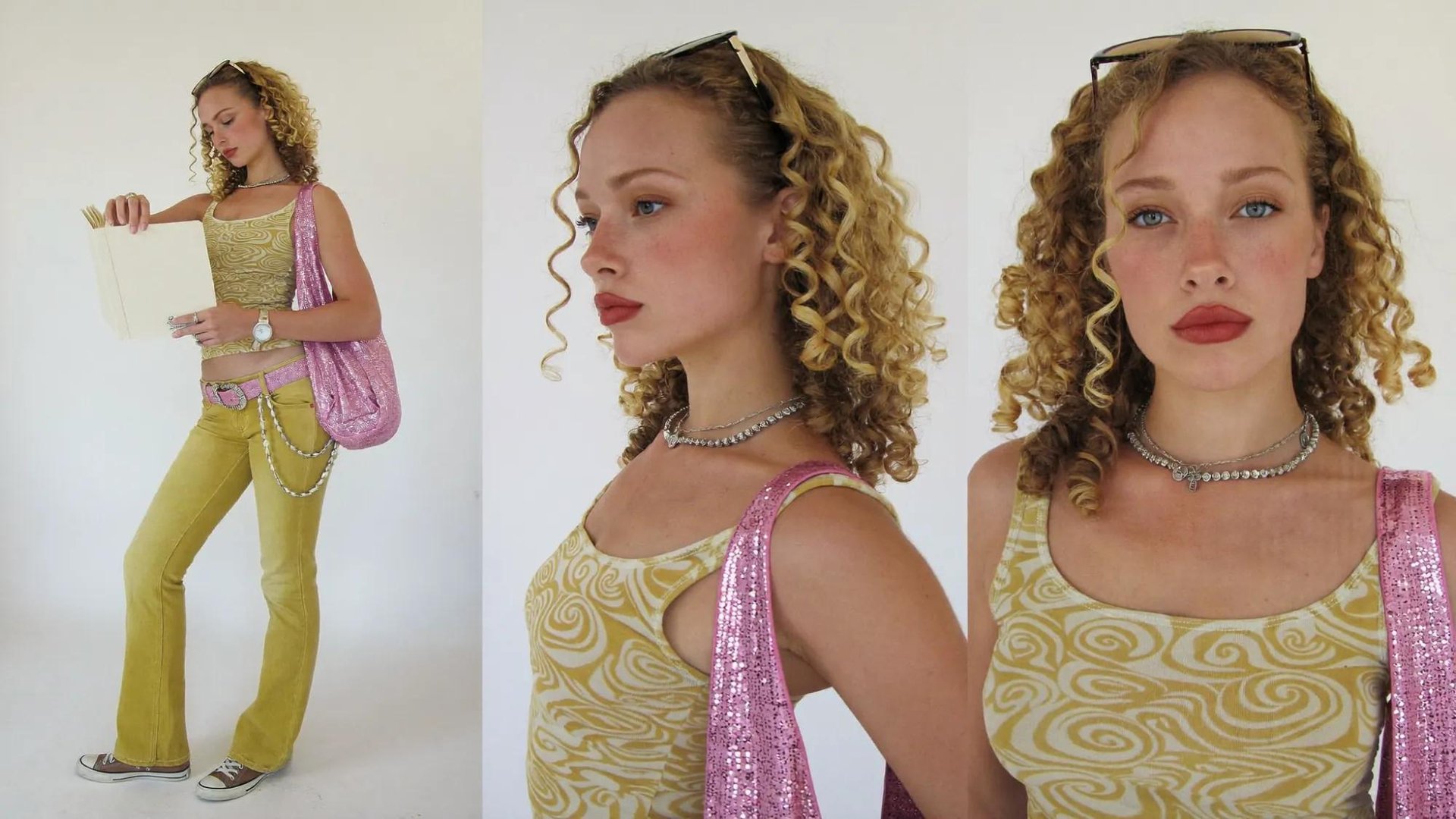
For PUFF ROLL, we used Seedance 2.5 with three image references: the product photo, a character sheet for the presenter and a photo of the room. Settings: 10 seconds, 1080p, 9:16, sound on. The exact credit cost shows on the Generate button before you run it.
How Do You Keep the Packaging and Label Accurate?

Keep the product still and facing the camera, and describe how it really works. In our PUFF ROLL test, the label broke in both walking-selfie takes and stayed upright in all four takes with a static camera.

Take 3 from our test: a walking selfie, then the lid flips open. The case splits open like a clamshell, and the label comes out upside down.

On November 10, 2026, we generated six 10-second clips in Seedance 2.5 with the same three references (product photo, character sheet, room photo), at 1080p and 9:16, changing only the scene in the prompt. Each clip cost 160 credits at these settings, as shown on the Generate button on November 10, 2026. We checked each clip frame by frame for two things: whether the case kept its shape and whether the label stayed upright and readable.

How Do You Keep the Packaging and Label Accurate?

Take

Scene in the prompt

Case shape

Label

1

Static camera, case held still at chest height, lid closed

Intact

Upright in every frame

2

Same scene, video fills the whole vertical frame

Intact

Upright in every frame

3

Walking selfie, then the lid flipped open

Split open like a clamshell

Tilted, then cut and upside down

4

Take 3 plus a strict “label always upright” rule and a side slot instead of a lid

Intact

Upside down

5

Static camera, tape pulled out of the side slot

Intact

Upright in every frame

6

Take 5 with calmer, more natural motion

Intact

Upright in every frame

Takes 3 and 4, the two walking-selfie takes, failed. In take 3 the case split open like a clamshell and the label came out tilted, then cut and upside down; the poster behind the presenter also showed letters, even though the prompt banned readable text. In take 4 the case stayed intact, but the label was upside down: describing the side slot kept the case whole, but a stricter rule in the prompt did not keep the label upright. In takes 5 and 6, with a static camera, the label stayed upright again.

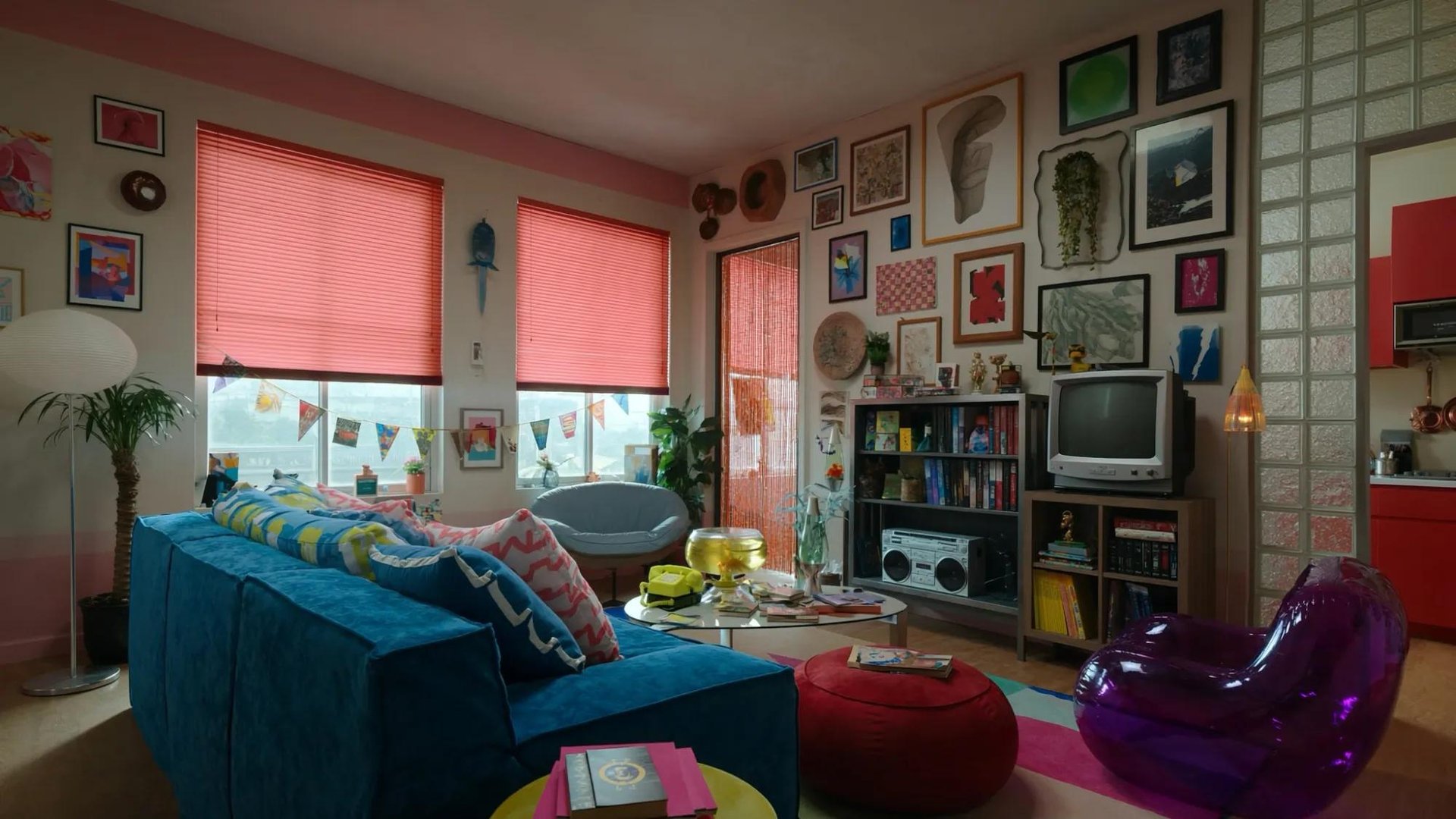
<<<image_1>>> = THE PRODUCT: PUFF ROLL bubble gum tape. A round bright-pink plastic case with ribbed edges; its flat front face carries the glossy pink label "PUFF ROLL", "Bubble Gum Tape" and a starburst "6 FEET OF FUN!"; a small slot with a clasp sits on the RIGHT EDGE of the case, exactly as in the reference. A long flat ribbon of pale-pink gum tape feeds out of that slot. Keep the case shape, color, size and label exactly as in the reference. <<<image_2>>> = THE GIRL: identity, face, freckles, big curly blonde ringlets, sunglasses on her head, terracotta lips, layered silver chokers, yellow-and-cream swirl-print tank top, mustard flared jeans with a pink rhinestone belt, exactly as in the reference; identity and outfit only, not its studio lighting. <<<image_3>>> = THE LOCATION: the retro living room with coral-pink blinds, gallery wall, blue velvet sofa, red pouf, purple inflatable chair; posters and book spines show only abstract shapes, no letters or numbers. Relight her with the room's warm daylight so she looks physically present. Vertical 9:16 smartphone video on a tripod at her eye level, full frame edge to edge, waist-up framing, static camera, 10 seconds, real time, one continuous take, no cuts. FRAME LAYOUT: she holds the case in her RIGHT hand, which appears on the LEFT side of the frame, at chest height; the front face is square to the lens with the PUFF ROLL label upright, level and reading left to right in every frame. The case's slot is on its right edge, facing the center of the frame. The case never spins, flips, opens or tilts; it only gives a few millimetres when the tape is pulled. ACTION (unhurried, natural, like a real person filming a quick video for her followers, not posing): 0-2.5s: she lifts the case a little toward the lens, relaxed half-smile, and says casually: "Six feet of bubble gum." 2.5-6s: with the fingertips of her LEFT hand she pinches the tape end at the slot and draws it out to the right side of the frame in one smooth, continuous pull, about 40 cm; the flat, matte, pale-pink tape has even width, feeds out with slight resistance, sags in a gentle arc and never passes through her fingers; at the end of the pull she snaps it off at the slot with a small flick of the wrist, clean, no strings. 6-8s: she loosely folds the strip and pops it in her mouth, chews twice with real jaw and cheek motion, shifting her weight onto one hip. 8-10s: she blows one small pale-pink bubble about 4 cm wide that pops softly against her lips, then gives the lens a quick genuine grin, the case still held upright at chest height. Natural blinks, small idle head movements and breathing, five fingers on each hand, soft natural hand poses, no frozen or mannequin-like moments. Plain room light, ordinary smartphone footage, no glow, no sparkle, no on-screen text. The only readable text in the video is the PUFF ROLL label. AVOID: rotating, flipping or tilting the case; an upside-down or mirrored label; the case opening or splitting; tape passing through fingers; slime-like, stretchy or stringy gum; stiff, robotic or doll-like movement; posed model expressions; readable letters on posters; letterbox bars.

What we changed in the prompt:

How to Make Ecommerce Video Ads with AI (Full Guide)

Problem in the frame

What to write instead

The label turns sideways or upside down

Keep the case still in one hand at chest height, front face square to the lens; static camera on a tripod

The case splits open

Describe the real mechanism: the tape slides out of a slot on the right edge; the case never opens

The whole case spins

Do not ask for a “rotating coil”; only the gum ribbon moves

Letters appear on posters and books

Posters and book spines show only abstract shapes, no letters or numbers

The product looks glossier or glows

No glow, no sparkle, plain room light

These fixes line up with TikTok Shop’s AI rules. TikTok Shop does not allow AI to change a product’s size, color, material, shape, quantity or features, to turn flat products into fake 3D or rotating visuals, or to add glowing effects the real item does not have. Its checklist asks sellers to confirm that the product shown matches what buyers receive. The same page says product promotion videos must clearly and accurately display the physical product, and it lists making a static product appear animated among the misleading uses of AI.

Step 4: Add the Price and Call to Action on Top of the Clip

The price and the call to action belong in the edit, not in the AI prompt. What to do: add the price, the offer and the call to action as text in your video editor or in Ads Manager. Result: exact numbers that stay sharp and match the product page.

  • Keep text out of the generation. Our PUFF ROLL prompts banned on-screen text, and Seedance 2.5 still drew letters on a poster in one take. A price drawn by the model can come out misspelled or wrong.
  • Match the landing page. TikTok does not allow ads where the price, discount or promotion differs from the website, for example “up to 50% off” in the ad and “up to 30% off” on the site.
  • Place text inside the safe zone. On Instagram Reels, keep it out of the top 14%, the bottom 35% and 6% on each side of the frame.
  • Use one call to action. Pick one per version, such as “Shop now” or “Get 3 rolls,” so the test measures one action.

Step 5: Build Versions for a Test

A test version is a copy of the ad with exactly one element changed. What to do: make three to five versions that differ in one element each. Result: when one version wins, you know which change made the difference.

Step 5: Build Versions for a Test

Version

Hook

Offer

What changes

A

“Six feet of bubble gum in one roll.”

3 rolls, free shipping

Starting version

B

“Pull it, tear it, blow it.”

3 rolls, free shipping

Hook only

C

“How long is one pack of gum? Six feet.”

3 rolls, free shipping

Hook only

D

Winning hook from A to C

A different offer from your store

Offer only

E

Winning hook from A to C

Same as D

First frame: label close-up instead of the presenter

Start with the hook, since it is the first line the viewer hears or reads. When you need dozens of variations rather than five, see How to Produce 100+ Creative Ads Without a Team.

Step 6: Check the Product and Export

The final check compares every frame of every version with the product photo and the product page. What to do: check every version frame by frame against the product photo, then export to the specs from Step 1. Result: an ad that shows buyers what they will receive.

  • Label: every word reads correctly and the right way up in every frame.
  • Shape and color: the case matches the photo, with nothing added or removed.
  • Background: no stray letters, logos or brand names on posters, screens or books.
  • Price and offer: the numbers match the product page.
  • Disclosure: TikTok’s AIGC label, TikTok Shop’s “AI-generated content” toggle or your own on-screen note is in place.
  • Export: 9:16, with text inside the safe zone, then a quick look at the preview on a phone.

What Matters Most in an Ecommerce Video Ad Made With AI?

The thing that matters most in an ecommerce video ad made with AI is the product: the ad works when the product in the clip matches the product in the box. Start from a real photo, keep the packaging still and facing the camera, and add prices and calls to action outside the model.

  • Selling on TikTok Shop: disclose AI use and check the product against the listing before you post.
  • Running Instagram Reels ads: generate in 9:16 and keep text inside the safe zone from Step 1.
  • Testing creative: change one element per version, starting with the hook.
  • Making a first ad for a small business: see Video Ads for Small Business. For product videos from a template, see Product Videos with AI, and for a whole catalog, see Ecommerce Catalog Automation.

How to Make Ecommerce Video Ads with AI (Full Guide)

Try Marketing Studio

Got any questions left?

by Higgsfield